
Generating video from code: an AI video API guide
How AI video APIs work for developers: keys, async jobs, prompts as data, cost control, storage and a sample pipeline. Concepts only; see the API reference.
The short answer
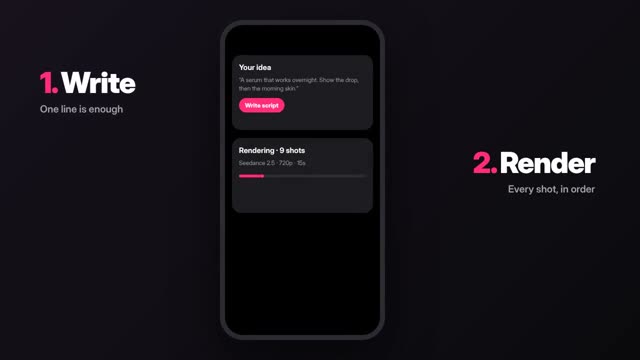
An AI video API lets your code do what you would otherwise do in a studio: send a prompt and settings, wait for the video to render, then fetch the result. Because video takes time to generate, most video APIs work as jobs you start and check on later, not as a single request that returns a file.
This guide covers the concepts and a sensible pipeline design. For exact endpoints, parameters, authentication and limits, use ClickPop's API reference at /docs/api-reference, which is the source of truth.
When an API makes sense
If you make a few videos a week, the studio is faster. An API pays off when video is part of a system.
- A store that creates a short video for each new product from its catalog data.
- An app that lets its own users generate clips inside your product.
- A content pipeline that turns a spreadsheet of approved scripts into drafts every night.
- An internal tool that makes localized versions of one ad for several markets.
- An agent that plans and makes videos on request, which is where an MCP server also helps.
Core concepts
Most video generation APIs share a handful of ideas. Check the reference for how each one works in ClickPop.
- Authentication: you use a secret key tied to your account. Keep it on your server, never in browser or mobile code.
- Jobs: you submit a generation request and receive a job identifier. The video renders in the background.
- Status: you check the job's status, or receive a notification if the API supports callbacks, until it is done or failed.
- Results: a finished job gives you a way to download the video. Copy it to your own storage rather than relying on a temporary link.
- Models and settings: you choose a model and options like length, resolution and aspect ratio, within what each model supports.
- Cost: each generation uses credits. In ClickPop, one credit balance covers all models, and failed renders are refunded.
Design your prompts as data
In the studio you type prompts by hand. In code, build them from structured fields so every video follows your rules.
For example, a product video prompt template might combine fixed brand rules with per-product fields:
- Fixed: "Clean studio, soft daylight from the left, plain unbranded background, slow push-in, no text in scene." Try it
- Per product: name, color, material, one hero detail, the setting it belongs in.
- Result: "A matte sage ceramic mug on a light oak table, steam rising, close-up on the hand-glazed rim. Clean studio, soft daylight from the left, plain unbranded background, slow push-in, no text in scene." Try it
Store templates in version control. When you change a template, you know which videos used which version, and you can roll back if quality drops.
A sample pipeline
Here is a design for a store that wants a short video for each new product. It shows the shape, not real endpoints.
- Trigger: a new product is approved in your catalog.
- Build: your server builds the prompt from the template and product fields, and attaches the product photo as a first frame or reference if the API supports it.
- Estimate: check the cost if the API offers a price check, and stop if it exceeds your per-video budget.
- Submit: start the generation job and save the job identifier with the product record.
- Wait: poll the status on a sensible interval or handle a callback.
- Store: download the finished video into your own storage.
- Review: put the video in a review queue. A person approves it before it goes live.
- Publish: attach the approved video to the product page and log the credits used.
The review step matters. Automated generation is fast, but a person should still check for wrong product details, stray logos and garbled text before customers see it.
Handling failures and limits
Plan for things going wrong from day one.
- Retries: if a job fails, retry with a delay, and stop after a few attempts so a bad prompt does not loop.
- Idempotency: record which products already have a job, so a restart does not create duplicates.
- Rate limits: respect the limits in the reference and queue work rather than firing everything at once.
- Timeouts: long or high-resolution generations take longer; do not treat slow as failed.
- Logging: save the prompt, model, settings, job identifier and outcome for every request.
Rules still apply
Code does not change the content rules. Videos you make on ClickPop are yours to use commercially, but real people's likeness without permission and third-party brands or logos are not allowed. Build checks into your pipeline: block prompts that include names of real people, strip brand names you do not own, and require human approval for anything public.
Label realistic AI content when you publish it to platforms that ask, as of October 2026.
Mistakes to avoid
- Putting the API key in front-end code.
- Waiting on a single request for a finished video instead of using jobs.
- Publishing without human review.
- Leaving finished files on temporary links that expire.
- Building against parameters you guessed rather than the ones in /docs/api-reference.
Questions
Does ClickPop have an API?
Yes. ClickPop has an API documented at /docs/api-reference and an MCP server at /docs/mcp for AI agents.
Why are video APIs asynchronous?
Generating video takes time, so APIs usually start a job and let you check its status rather than holding a connection open until the file is ready.
How is API usage billed?
Generations use credits. Check /docs/api-reference for the current details on billing, limits and authentication.