
Hooks for the first three seconds: 30 openings for short videos
30 hook openings for short videos, grouped by type, with the visual to pair with each, how to write your own, and how to test which hook works for you.
The short answer
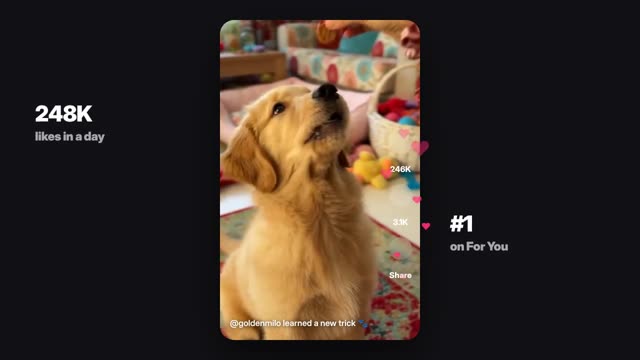
A hook is the first one to three seconds of a short video: a visual plus a line that gives the viewer a reason to stay. The best hooks pair a moving image that is already doing something with a short promise, question or surprise that the rest of the video pays off.
Below are 30 openings you can adapt, grouped by type, then a method for writing your own and testing them. Every line is a template; swap in your own subject, and only keep claims that are true.
What the strongest hooks share:
- Motion from frame one. Start mid-action, not on a still setup.
- A specific subject. "This mug" beats "products".
- An open loop. The viewer wants to see how it ends.
- A promise you keep. If the hook says three tips, give three tips.
- Text on screen. Many people watch with sound off and decide from the words.
The visual and the words should do different jobs. The image grabs the eye; the line gives the reason to stay.
Curiosity hooks
- 1. "I didn't know this was possible with [thing]."
- 2. "Watch what happens when I [action]."
- 3. "Nobody talks about this part of [topic]."
- 4. "This is why your [thing] keeps [problem]."
- 5. "Wait for the last one."
- 6. "Here is what [place or object] looked like [time] ago."
Pair these with a visual already in motion: a reveal starting, a lid lifting, a camera pushing toward something hidden.
Problem and fix hooks
- 7. "Stop [common habit]. Do this instead."
- 8. "If your [thing] looks like this, try this."
- 9. "The mistake I see every [beginner] make."
- 10. "[Problem]? It is probably [cause]."
- 11. "One change that fixed my [everyday problem]."
- 12. "You are doing [task] the hard way."
Show the problem in the first frame: the tangled cable, the wilting plant, the cluttered desk. Avoid health or body problems unless you can stay clear of claims.
List and value hooks
- 13. "Three [things] I wish I knew before [event]."
- 14. "Five ways to use [one object]."
- 15. "Save this for your next [trip, move, project]."
- 16. "Everything you need for [task], in [number] steps."
- 17. "The only [number] [tools] you need to start [hobby]."
- 18. "Rate these [things] from worst to best."
List hooks work well with a fast first shot that shows item one already on screen.
Story and character hooks
- 19. "Day [number] of [challenge]."
- 20. "She had one hour to [goal]."
- 21. "The last time someone opened this door was [time]."
- 22. "He thought it was a normal [day]."
- 23. "POV: you just [situation]."
- 24. "This is how it started."
These suit AI series and microdramas with original characters. Keep the same fictional character across episodes; in ClickPop, Characters stores 1 to 10 reference photos that go with every video so the face and outfit stay the same.
Visual-first hooks
- 25. A close-up so tight the viewer cannot tell what it is, then pull back.
- 26. Something about to fall, spill or break.
- 27. A before shot that cuts to an after on the first beat.
- 28. An object that does not belong in the scene.
- 29. A fast whip pan that lands on the subject.
- 30. A hand reaching into frame toward something.
Sample prompt for number 25: "Vertical 9:16, extreme macro of coffee crema swirling, then a slow pull back to reveal a full espresso cup on a dark wood counter, warm side light." ClickPop's presets include 16 camera moves, which helps when a hook depends on a specific move.
Try this prompt in Create VideoBuild a hook in ClickPop
A hook usually needs its own shot. The body of the video can stay the same while you swap the first two or three seconds.
- Write the hook line and the visual that goes with it.
- In Create Video, describe only the opening moment, in 9:16, with the subject centered and space for text.
- Generate two or three takes on a cheap model and pick the one with the strongest first frame.
- Join it to your existing body and add the hook text on screen for the first two seconds.
For ads, ClickPop's Ad Studio makes ad variants and hooks for testing, so you can produce several openings for one product at once. For vertical shorts, the YouTube Shorts studio builds the hook, beats, captions and payoff as one structure.
How to write and test your own
- Write the payoff first. You cannot write a hook until you know what the video delivers.
- Write five hooks for the same payoff, each from a different group above.
- Generate a new opening shot for each hook. Keep the rest of the video the same.
- Post or run them as separate videos or ads.
- Compare how many viewers are still watching after the first few seconds. Most platforms show this in their retention graph.
- Keep the type of hook that wins and try new versions of it next time.
Mistakes to avoid: hooks that promise more than the video delivers, slow logo intros, starting with "Hey guys", and clickbait that leads to a drop in watch time once viewers feel tricked.
Questions
How long should a video hook be?
One to three seconds. The viewer decides fast, so the first frame should already be moving and the text should be readable at a glance.
Should the hook be text or voice?
Both if you can. Text on screen reaches people watching with sound off; voice adds energy for those with sound on.
Is clickbait a good hook?
No. A hook that over-promises loses viewers once they feel tricked, which hurts watch time. Promise what you deliver.
How do I test hooks?
Make several openings for the same video body and compare how many viewers stay past the first few seconds.