
AI videos for hotels and travel agencies
The videos a hotel or travel agency needs, how to build them from your own photos with AI, a room tour shot list and the accuracy rules guests expect.
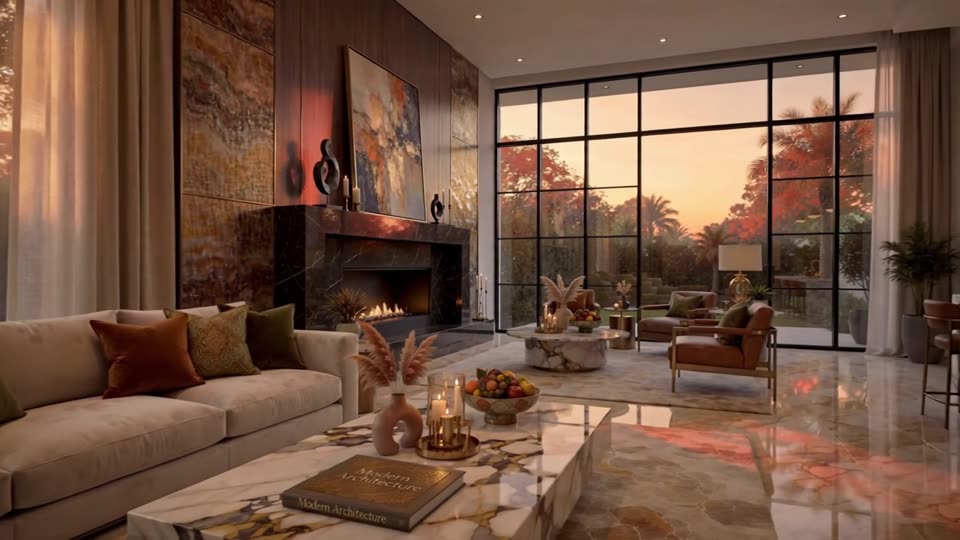
What AI video does for hotels and travel agencies
A hotel or travel agency can use AI to turn the photos it already has into room tours, destination reels, package promos and multilingual versions for every market it sells to. You keep the real rooms and real places as the starting frames, and AI adds camera moves, light changes, captions and voiceover.
Guests compare the video with what they find on arrival. A room that looks bigger, a view that is not there or a pool that is never that empty leads to complaints and bad reviews. The rule is simple: animate the real thing, do not improve it.
The videos a hotel needs
- Room tours: one short video per room type, for the booking page, the website and online travel listings that accept video.
- Property overview: arrival, lobby, pool, restaurant, spa, view.
- Restaurant and bar clips: real dishes and drinks, animated.
- Seasonal offers: a winter package, a long-weekend rate, a wedding package.
- Neighborhood guides: what is within walking distance, built from your own photos and simple map animations.
- Pre-arrival videos: how to find the entrance, parking, check-in times, sent by email or WhatsApp.
The videos a travel agency needs
- Destination reels: a sense of place from photos you have the rights to, with captions on the best season, trip length and what the package includes.
- Package explainers: day-by-day itinerary as an animated map and timeline.
- Partner hotel clips: made from photos the hotel supplied and approved.
- Travel tips: documents to check, what to pack, how transfers work. Tell viewers to confirm visa and entry rules on the official government page.
Worked example: a room tour shot list
A 30-second vertical tour of a deluxe double room, built from eight of the hotel's own photos. Each prompt uses the photo as the first frame.
- 0 to 3 s, door opening view: "Slow dolly forward through the doorway into the room, afternoon light, room unchanged." Text: Deluxe double. Try it
- 3 to 8 s, bed: "Slow lateral slide along the bed, curtains move slightly in a breeze, nothing added." Try it
- 8 to 12 s, desk and chair: "Static, light shifts softly across the desk."
- 12 to 17 s, bathroom: "Very slow push in toward the shower, no water running, reflections stable." Try it
- 17 to 22 s, balcony: "Slow push out onto the balcony, the real view as in the photo, gentle movement in the trees."
- 22 to 26 s, amenity close-up: the coffee machine or minibar, "slow push in, labels unchanged". Blur brand names if the brand has not agreed.
- 26 to 30 s, end card: room size, bed type, view and booking link.
Use the room size and features from your own records. If the room type has several layouts, say so, or make one video per layout.
How to make it in ClickPop
- Pick your best professional photos per room type, in walking order.
- In Create Video, use each photo as the first frame and describe only the camera move and small natural motion. Slow moves keep walls and furniture stable.
- For a filmic property overview, plan shots in Film Studio at /app/cinema-studio, picking lens and move per shot, then cut them into one graded film.
- Make maps, itineraries and timelines in Faceless Studio so place names and times are spelled exactly.
- Add an AI voiceover and create versions in the languages of your main source markets. ClickPop's voices cover 30+ languages.
- Export 9:16 for social and 16:9 for the website and booking pages.
Promo Video at /app/promo can also start from your website and draft a brand video you then correct against your photos.
Where to post
Instagram and TikTok drive discovery for travel, so lead with vertical room tours and destination reels there. YouTube is where people search for hotel and destination videos before booking, so post horizontal tours with the property name and area in the title. Put a tour and a property clip on your Google Business Profile. Use pre-arrival videos in confirmation emails and messaging apps. Check each booking platform's current media rules before uploading, as they differ.
Accuracy and consent rules
- Do not add or enlarge features: pools, views, beaches, balconies, room sizes.
- Do not generate guests enjoying the property in a way that suggests real guests or real reviews. If you use people, use fictional adult characters and keep it clear they are illustrative.
- Do not film or animate identifiable real guests or staff without written consent.
- Show seasonal conditions as they are. A summer video of a mountain resort sold for winter misleads.
- No health or wellness claims for spa services.
- Destination footage must be yours or licensed. Do not lift clips from other creators.
- Licensed music only, and no trending tracks unless the platform licenses them for business use.
Mistakes to avoid
Over-grading is the most common one. A teal sky and orange sand look striking but do not match the real place. Pick a natural grade from Presets and use it on every video. The second is cramming every room type into one long tour. One room type per video is easier to compare and easier to keep current. The third is forgetting to update: when you renovate, replace the old videos everywhere they are posted.
A fourth is leaving out the practical details guests ask about at the front desk. A pre-arrival video that shows the entrance from the street, where to park and where to leave luggage saves your team repeated calls and starts the stay well. It is also one of the easiest videos to make, because it is mostly real photos with arrows and captions.
Questions
Can a hotel use AI to make room tour videos?
Yes. Use your own room photos as first frames and add slow camera moves. Keep every feature, size and view exactly as it is.
Should a travel agency label AI destination videos?
If the video is realistic and AI-generated, label it where the platform requires it. Also make sure every place shown matches what the traveler will see.
Can I make hotel videos in other languages?
Yes. Keep the same visuals and add voiceovers and captions in each language. Check translated room details and policies with a native speaker.