
Seedance 2.5 guide: sound, length and prompts that work
How to use Seedance 2.5: native sound, clips up to 30 seconds, 720p with upscaling, what a clip costs in credits, and prompts you can copy.
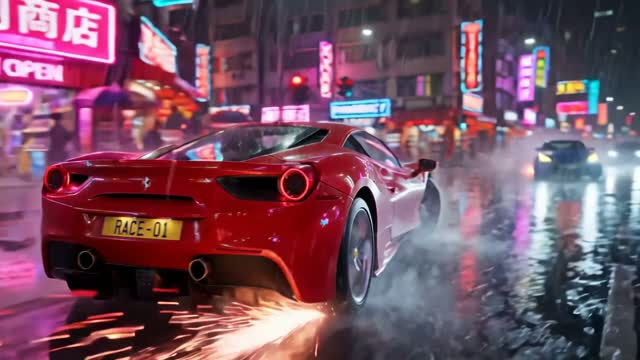
What Seedance 2.5 is and when to pick it
Seedance 2.5 is ByteDance's video model that renders sound with the picture and runs up to 30 seconds in a single generation. Pick it when you want one continuous clip with audio baked in, such as a short scene with ambient sound, a product moment with effects, or a character line.
It renders at 480p or 720p natively. In ClickPop you can upscale a 720p result to 1080p or 4K, so the native resolution matters less than whether the motion and sound land. Use the 480p setting for cheap tests and switch to 720p once the prompt works.
The trade-off is cost. A 10-second 720p clip on Seedance 2.5 costs about 208 credits, compared with about 72 credits for the same length on Auto. That gap is the whole decision: pay more when you need sound and length in one pass, use Auto or a cheaper model when you only need silent motion.
What the specs mean for your shots
Thirty seconds is long for a single AI generation. It lets you hold one camera move, one action and one sound bed without cutting. That suits slow reveals, walk-and-talk moments, ambient scenes and loops.
Longer is not always better. Every extra second is another chance for a hand to drift or a background to shift. Ask for the shortest length that tells the beat, then extend only when the shot needs time to breathe.
- Use it for: a single scene with sound, a 15 to 30 second loop, a product moment with effects, a line of dialogue.
- Skip it for: silent b-roll, quick cutaways, first drafts of an idea you have not tested yet.
- Pair it with: an upscale to 1080p when the clip is going out as a final post.
How to write a Seedance 2.5 prompt
Write the prompt in the order a director would say it: subject, action, setting, camera, light, then sound. Sound is the part most people forget. If you do not describe it, you leave the model to guess.
Name sounds as specific events, not moods. "Rain on a tin roof, a kettle starting to whistle" gives the model something to render. "Cozy atmosphere" does not.
Keep one main action per clip. If you need a person to enter, sit, pour coffee and answer the phone, split it into two or three shots and cut them together.
Worked example: a 15-second cafe scene
Here is a prompt you can paste into Create Video with Seedance 2.5 selected and the length set to 15 seconds:
"A barista in a green apron pours steamed milk into a latte, forming a leaf pattern. Small morning cafe, wooden counter, window light from the left. Slow push-in from medium shot to close-up on the cup. Sound: espresso machine hiss, milk jug tapping the counter, quiet chatter in the background, a spoon clinking on a saucer."
Try this prompt in Create VideoRun it first at 480p to check the motion and the timing of the pour. When the pour lands, render it again at 720p. If it is going out as a finished ad or reel, upscale it to 1080p.
- Draft at 480p and judge motion, not detail.
- Re-render at 720p with the same prompt once it works.
- Upscale only the take you will publish.
Using a first frame for control
Text-only prompts leave the look of the scene to chance. If the look matters, start from a still. Draw the opening frame with an image model, then use it as the first frame of the video so the colors, set and character match what you planned.
For a recurring character, design them once in Characters and let their reference photos travel with every video. That keeps the face and outfit the same across a series of Seedance 2.5 clips.
Storyboard mode in Create Video draws stills first. Use it when you want to approve the look before you spend credits on motion.
Where Seedance 2.5 fits in a workflow
Think of a project in three passes. In the first pass you test ideas: hooks, settings, characters. Do that on Auto or Seedance 2.0 Fast or Mini, which are the cheaper drafting options. You are judging whether the idea works, not how polished it looks.
In the second pass you pick the shots that carry sound or need a long unbroken moment. Those go to Seedance 2.5. A scene where a door slams and a character turns, a 20-second ambient loop, a product moment where the click of a cap matters: these benefit from audio rendered with the picture.
In the third pass you finish. Upscale the chosen takes, add captions, titles and music, and cut. If a shot needs more than 720p from the start and no sound, Seedance 2.0 goes up to 1080p natively and up to 15 seconds, so it can be the better fit for silent hero shots.
Working this way keeps most of your credits on the shots the viewer will notice. Seedance 2.5 opens on Pop. At about 208 credits per 10-second 720p clip, Pop's 4,390 credits is about 21 Seedance 2.5 clips, versus roughly 60 clips on Auto. Plan your Seedance 2.5 shots before you render them.
Mistakes to avoid
- Using Seedance 2.5 for every draft. Test ideas on Auto, then move the winners to Seedance 2.5.
- Asking for 30 seconds when 8 would do. Longer clips cost more and have more room to drift.
- Leaving sound out of the prompt. Describe the sounds you want or you will get generic ones.
- Packing several actions into one clip. One action per shot, then cut.
- Expecting readable on-screen text. Add titles and captions afterward instead of asking the model to draw them.
The simplest test is a side-by-side. Render the same prompt on Seedance 2.5 and one cheaper model, watch both on your phone, and decide whether the sound and length are worth the extra credits for that shot.
Questions
How long can a Seedance 2.5 video be?
Up to 30 seconds per generation. For longer pieces, render several shots and cut them together in ClickPop.
Does Seedance 2.5 make sound?
Yes. It renders native sound with the video, so describe the sounds you want in the prompt.
What resolution does Seedance 2.5 output?
It renders at 480p or 720p natively. In ClickPop you can upscale a 720p clip to 1080p or 4K.
How much does Seedance 2.5 cost in ClickPop?
A 10-second 720p clip costs about 208 credits. It is available on Pop and up. The exact price shows before you generate, and failed renders are refunded.