
Swiss-style motion design for brands: grids, type and motion
How to use Swiss-style motion design for a brand: grid setup for vertical video, type scale, color, motion rules, pacing and a full 20-second brand intro.
What Swiss style is
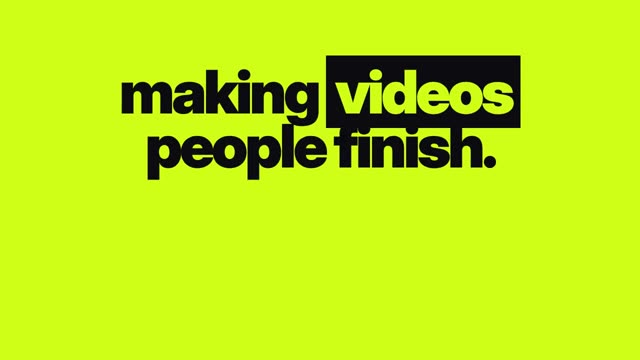
Swiss-style motion design applies the International Typographic Style to video: a strict grid, bold sans serif type, flush-left text, lots of empty space, a limited palette and motion that moves along the grid’s lines. Use it when a brand wants to look clear, confident and modern, and when the message is mostly words and simple shapes.
The style grew out of mid-century European graphic design, where posters relied on grids, type and photography rather than decoration. In motion it reads as precise and calm. It suits architecture and design studios, tech products, cultural institutions, financial and professional services, and any brand with a minimal identity.
Principles that carry into motion
- The grid decides everything. Text and shapes start, stop and align on columns and rows.
- Asymmetry. Layouts lean left or right, not centered, which creates tension and direction.
- Type is the image. Large headlines often fill a third of the frame.
- One accent color, used sparingly. Classic Swiss is black, white and a red, but any single strong hue works.
- Objective imagery. If you use footage, it is clean and documentary, not stylized.
- Nothing decorative. Every line, block and move points at information.
Set up a grid for vertical video
Swiss design needs a grid before anything else. For a 1080 by 1920 frame:
- Margins: 72 px left and right, 220 px top, 380 px bottom to keep clear of app overlays.
- Columns: 6 columns with 24 px gutters across the 936 px live width.
- Rows: a baseline grid of 24 px, with type sizes as multiples of it.
- Anchor points: choose two or three positions where headlines always start, such as the top-left corner of column 1 and the middle row.
For 16:9 at 1920 by 1080, use 12 columns with 96 px side margins. Save both grids in your template so every video in the series uses the same system.
Type scale and color
- Display headline: 168 to 216 px, tight leading, flush left. One to three words per line.
- Secondary line: 72 px.
- Body or detail: 48 px. Never smaller than 40 px on vertical video.
- Fonts: a neo-grotesque sans serif in two weights, regular and bold. Avoid light weights on video.
- Words per scene: 3 to 8. A Swiss frame looks right with a lot of empty space.
- Color: black, off-white and one accent. Keep body text at 4.5:1 contrast. Use the accent for one shape or one word per scene.
Motion rules and pacing
Swiss motion feels precise because it is constrained.
- Move only on the grid axes: up, down, left, right. No diagonals, no spins.
- Snap with a short, firm ease-out. Entries of 8 to 12 frames at 30 fps.
- Use masks and wipes to reveal type as if it slides from behind a block.
- Let blocks of color grow from a column edge to fill a section.
- Hold each composition for 1.5 to 2.5 seconds. Swiss frames need a beat of stillness to read as designed.
- Change rhythm every three or four scenes with a full-frame color block or a hard cut to a single word.
Full example: a 20-second brand intro
For a made-up architecture studio called Fieldline. Accent color: signal red. Each scene lists layout, text and motion.
- 0.0–2.0 s · Off-white frame. Red block grows up from the bottom across columns 1 to 2. Text, top left, 192 px: “Field.” Mask reveal from left.
- 2.0–4.0 s · “line” slides in under it, aligned to column 1. Hold.
- 4.0–6.5 s · Hard cut to black. White text, columns 1 to 4: “We design” / “quiet buildings.” 120 px. Snap in by line.
- 6.5–9.5 s · Documentary clip of a concrete stair with daylight, cropped to columns 3 to 6. Label at 48 px, left: “Housing.”
- 9.5–12.5 s · Clip of a timber roof in morning light, columns 1 to 4. Label right: “Schools.”
- 12.5–15.0 s · Red frame. Black text, 168 px: “Less.” Then “but better.” drops in below.
- 15.0–18.0 s · Off-white. Grid lines draw on briefly, then fade. Text: “Fieldline Studio” 96 px, flush left at row 6.
- 18.0–20.0 s · Hold. Small text at 48 px: “fieldline-studio.example.”
A sample prompt for the stair shot: “Documentary shot of a concrete staircase in a bright atrium, hard daylight, crisp shadows, static camera, neutral color, no people.”
Try this prompt in Create VideoMaking it in ClickPop
In ClickPop, choose the Swiss motion graphics style in Create Video, paste your scene list and brand colors, and set the format. Type and shapes are drawn in code, so your brand name and every line come out exactly as typed. Generate any documentary clips with short prompts, and use a neutral grade from Presets so footage does not fight the palette. Save the result as a template for future posts.
Mistakes to avoid
- Centering everything. Swiss layouts lean on the grid.
- Adding gradients, glows or drop shadows.
- Diagonal or bouncy motion that breaks the grid’s logic.
- Filling every empty space. White space is part of the design.
- Using more than one accent color.
Questions
What is Swiss style in motion graphics?
It is motion design built on the International Typographic Style: a strict grid, bold sans serif type, asymmetric layouts, a limited palette and clean, grid-aligned motion.
Which fonts work for Swiss-style video?
Neo-grotesque sans serifs in regular and bold weights. Choose a font with a license that covers video use.
Is Swiss style good for social media?
Yes, for brands with a minimal identity. Large type and clear layouts read well on phones, as long as you respect the app’s safe areas.