
AI music videos for independent musicians
How an independent musician can make a music video with AI: concept, shot list, keeping a character consistent, syncing to the track and the rights to check.
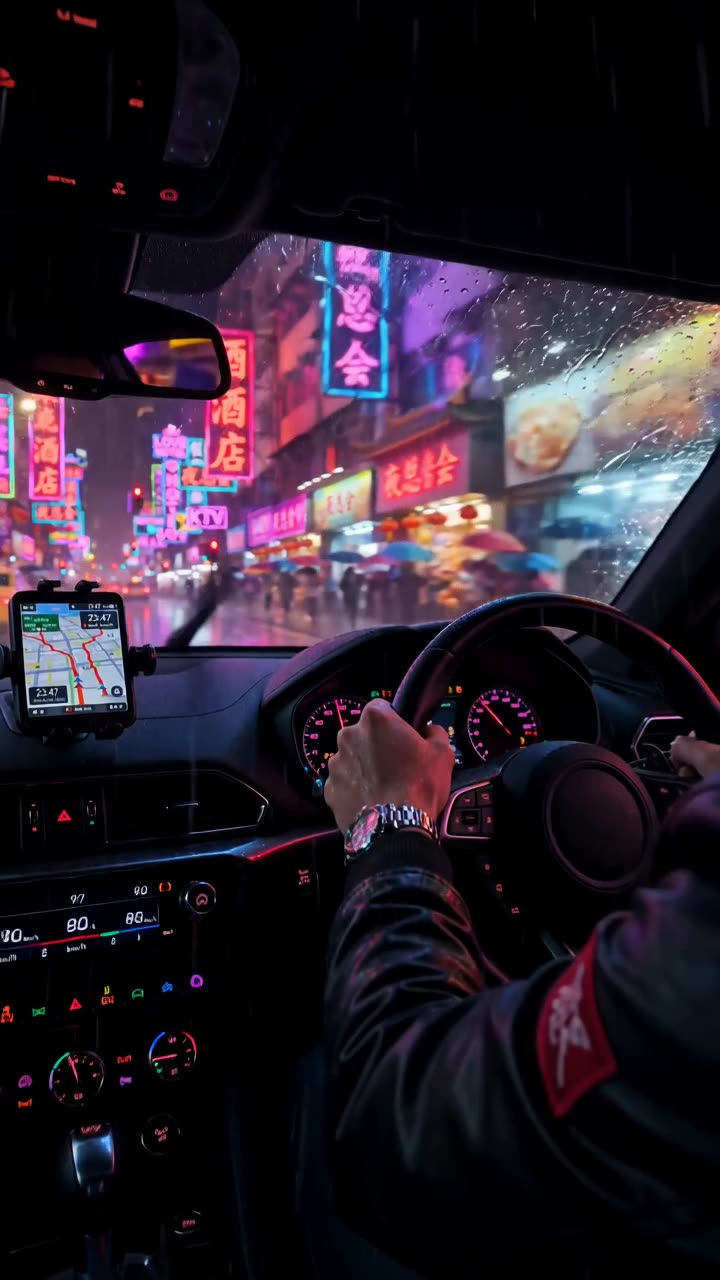
What an AI music video looks like in 2026
An independent musician can make a full music video with AI by planning it shot by shot, generating each shot from a still or a prompt, and cutting the shots to the track in an editor. Most AI video models make clips of several seconds to under a minute per generation, so a music video is many shots edited together, the same way a filmed video is.
The music must be yours, or you need the rights to use it. The images must be original: no real artists' faces, no lookalikes of famous people, no copyrighted characters or logos. Within those limits, you can make visuals that would cost far more to film.
Start with a concept, not a prompt
A music video needs one idea that carries for three or four minutes. Write it in a sentence before you open any tool. Three concept types work well with AI:
- Performance plus world: an original character performs the song in a few settings that match the lyrics.
- Story: a small narrative with a beginning, a turn and an ending, told in 20 to 40 shots.
- Visual loop: abstract or graphic imagery that changes with the song's sections, often used for lyric videos and visualizers.
If you are the artist and want to appear yourself, film your performance for real and use AI for the world around it with Edit Video, or for B-roll. Do not feed someone else's face into an AI tool without their written consent.
Worked example: a shot list for a three-minute song
Concept: a night drive through an empty city, for a slow synth-pop song. One original adult character, the driver.
- Intro, 0:00 to 0:20: four wide shots of the empty city at night, neon reflections on wet streets, slow camera drifts.
- Verse one, 0:20 to 0:50: the driver at the wheel, close-ups of hands, the dashboard glow, passing lights on the face.
- Chorus one, 0:50 to 1:20: fast cuts on the beat, the car from outside on a long empty road, a high overhead shot.
- Verse two, 1:20 to 1:50: the driver stops at a rooftop parking lot and gets out, looks over the city.
- Chorus two, 1:50 to 2:20: same chorus shots re-cut with new angles, plus city lights blurring in slow motion.
- Bridge, 2:20 to 2:50: a single long take, the camera circling the driver on the rooftop as dawn starts.
- Final chorus and outro, 2:50 to 3:10: the car drives away into dawn, the last shot holds on the empty road.
Example prompt for a verse shot in Film Studio, with the character's references attached: "Close-up of the driver at the wheel at night, passing streetlights move across her face, 50mm lens, shallow depth of field, slow push in, cool blue and magenta neon grade."
Try this prompt in Create VideoHow to make it in ClickPop
- Design the character once in Characters at /app/characters with several reference photos, so the face and outfit stay the same in every shot.
- Open Film Studio at /app/cinema-studio and plan each shot: camera body, lens, focal length, aperture and move. Film Studio then cuts the shots into one graded film.
- Pick one grade from the 430 in Presets and keep it for the whole video.
- For long, continuous shots like the bridge, use a model that makes longer takes, such as Wan 3.0, which goes up to 30 seconds and up to 1080p.
- Generate shots without dialogue and turn off generated sound where possible, since your track is the audio.
- Export the shots and cut them to the track in your editor, placing cuts on beats and section changes. Upscale 720p shots to 1080p or 4K in ClickPop if you need higher resolution.
Productions at /app/productions is another route: one brief in, a cast, a shot list and a finished cut made of many shots out, which you then re-time to the song.
Where to release it
Plan the release around the song, not the video. Post a short teaser from the strongest chorus shot a few days before, the full video on release day, and vertical cuts of different sections over the following weeks.
Upload the full video to YouTube with the song title and artist name in the title. Cut vertical versions of the chorus for Shorts, Reels and TikTok, and loops for your streaming profiles where the services support video canvases. Use stills from the video as single artwork if they match your release plan.
Label realistic AI footage with YouTube's altered or synthetic content setting and TikTok's AI label as required, as of October 2026. Stylized or clearly unrealistic visuals usually do not need the YouTube label, but check the platform's current page.
Rights and mistakes to avoid
- Music: make sure you own or control the master and the composition, or have a license that covers video. Samples need clearance too.
- Faces: no real artists, celebrities or lookalikes. No band members in AI footage without their written consent.
- Imagery: no copyrighted characters, logos or recognizable brands.
- Lyric videos: generated text often breaks. Make lyrics as kinetic type in Faceless Studio, where text is drawn exactly.
- Inconsistency: changing the grade or the character's look between shots makes the video feel like a reel of tests. Lock both before you start.
- Too many ideas: one concept, held for the length of the song, is stronger than ten.
Questions
Can I make a full music video with AI?
Yes. Plan it as many short shots, generate them with a consistent character and grade, and cut them to the track in an editor. A three-minute video is many generations edited together.
Can I use AI to put a famous artist in my video?
No. Real people's likeness requires their permission, and lookalikes of famous people are not allowed. Use an original character or film yourself.
Do AI music videos need a label on YouTube?
Realistic altered or synthetic footage must be disclosed with YouTube's altered or synthetic content setting, as of October 2026. Clearly animated or unrealistic visuals generally do not need it.
Who owns an AI music video?
Videos you make in ClickPop are yours to use commercially. You still need the rights to the music and to anything else you include.