
How to start an AI tech reviewer channel
Start a tech review channel with an AI host: what the host presents, why testing must be real, formats, sponsors and affiliate categories, prompts and cautions.
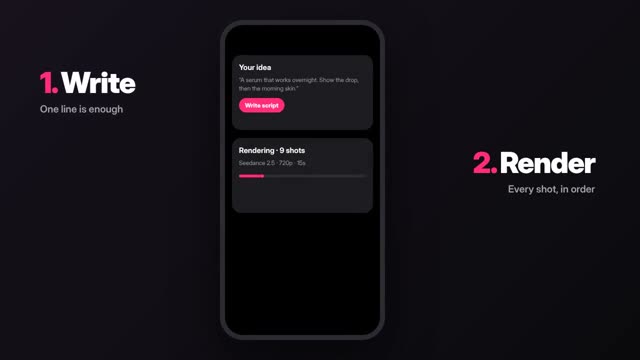
How an AI tech reviewer channel works
An AI tech reviewer channel uses a fictional AI host to present reviews, explainers and buying guides, while the testing and opinions come from a real person. The host replaces your face on camera. It does not replace using the product.
Tech viewers are skeptical. They want benchmarks, real screen recordings and someone who lived with the device for a week. An AI host is a presenting layer on top of that work. If you try to review products you never touched, viewers will spot it in the comments and you will be giving bad advice.
Pick a tech audience
Choose one buyer and one budget:
- Students buying their first laptop.
- Home office workers choosing monitors, keyboards and webcams.
- Budget phone buyers.
- Smart home beginners setting up their first devices.
- Small business owners picking software tools.
Software and app reviews are a strong start. You can test them fully with screen recordings and no hardware budget.
Design the host
In ClickPop's Characters studio, design a fictional adult host and draw 1 to 10 reference photos. For a tech channel, a waist-up front view and a three-quarter view at a desk will cover most shots. Pick a simple outfit (a navy overshirt, say) and one desk set: a matte grey desk, a plant, a soft blue backlight.
Write the host's rules: always states how long they tested something, always shows a downside, never says "best" without a reason. This is your channel's editorial voice, and the AI host delivers it.
Formats that work
- Hybrid reviews: AI host intro and verdict, real screen recordings or your own product footage in the middle.
- Explainers: what a spec means, made as motion graphics with exact labels.
- Comparison videos: A vs B on four criteria, drawn as a clean chart.
- Buying guides: three picks at three budgets, with reasons.
- Weekly tech news recaps, written from official announcements and labeled as recaps.
AI video models still garble small text, so never ask them to render a spec sheet or a phone screen. Faceless Studio draws charts and kinetic type in code, so every number is exact.
Five video ideas with sample prompts
- Desk intro. Prompt: “The host sits at a matte grey desk with a soft blue backlight, looks up from a notebook to camera, relaxed, waist-up, slow push-in, quiet studio.” Try it
- What does refresh rate mean. In Faceless Studio: “Explain monitor refresh rate with a side-by-side animation of a ball moving at two frame rates, isometric style, captions in large type.” Try it
- Three laptops for students. A comparison chart of three anonymized picks by price band, battery and weight, using numbers you measured or the maker's published specs, labeled as such.
- Unboxing mood shot. Prompt: “Top-down shot of hands lifting the lid of a plain white box on a grey desk, tissue paper inside, soft daylight, slow push-in.” Use your real footage for the product itself. Try it
- Verdict close. Prompt: “The host leans back, counts three points on their fingers, nods, then gives a small smile to camera, steady camera, soft key light.” The voiceover carries the actual verdict.
A review script you can copy
This structure works for a three-to-five minute review of a software tool or a gadget you tested. Each beat says which parts are the AI host and which are your real footage.
- Hook (host, 10 s): “I used this note-taking app every day for two weeks. Here is who should pay for it and who should not.”
- What it is (motion graphic, 20 s): one sentence on what the product does and its price from the official page.
- How I tested (host, 15 s): how long, on which device, for what kind of work.
- Three things it does well (screen recordings, 60 to 90 s): each one shown, not described.
- Two problems (screen recordings, 45 s): be specific. A review without downsides reads like an ad.
- Who it is for (host, 20 s): one sentence for the right buyer, one for the wrong buyer.
- Disclosure and close (host, 10 s): how you got access, whether anything is sponsored, and where the links are.
Write the script first, record your screen footage second, and only then generate host clips to match the beats. That order keeps the AI parts short and the evidence long.
Sponsors and affiliate categories
Tech is well served by affiliate programs and sponsors. Categories: laptops and accessories, desk setups, software and SaaS tools, VPN and security apps, storage and cloud services, audio gear, chargers and cables. Amazon Associates and retailer programs cover hardware; many software companies run their own affiliate programs. Rates vary and change, so check each one.
Software sponsors often fit an AI host well because the product is on-screen anyway. Hardware brands may send review units; disclose that a unit was provided, even if there was no payment.
ClickPop does not allow third-party logos in generated video. Show real products and brand marks only in footage you filmed yourself or that the brand supplied.
Cautions and mistakes to avoid
- Reviewing without testing. If you did not use it, do not review it. Make a news or spec explainer instead and say so.
- Inventing specs or benchmarks. Use the maker's published numbers or your own measurements, and say which.
- Making AI renders of a real product. They will be wrong in small details and look like the real thing.
- Hiding the AI host. Say in the channel description that the presenter is an AI character. Use YouTube's altered or synthetic content setting when the host looks realistic (as of October 2026).
- Mass-producing template reviews. YouTube demonetizes repetitive, mass-produced content; original testing and commentary are what make the channel monetizable.
Questions
Can an AI host review products on YouTube?
Yes, if the testing and opinions are real and the content is original. Disclose the realistic AI host with YouTube's altered or synthetic content setting where it applies.
Do I need to own the products?
You need to have used them. Review units, loans or software trials all count, as long as you disclose how you got them.
Can AI generate the product shots?
Avoid it for real products. AI renders get details wrong and may include logos ClickPop does not allow. Film the product yourself or use the brand's supplied footage.