
Hailuo 3 guide: what to use it for and how to test it
How to use MiniMax's Hailuo 3 for clips up to 15 seconds: which shots to try it on, a simple test plan, copyable prompts and mistakes to avoid.
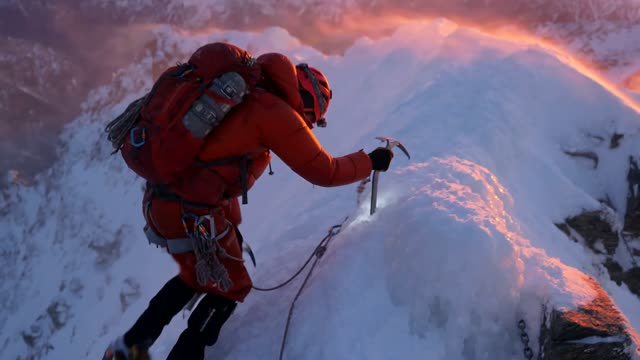
What Hailuo 3 is
Hailuo 3 is MiniMax's video model, and it renders clips up to 15 seconds per generation. Use it as one of your standard options for short and mid-length shots, and learn where it fits by testing it against the other models on your own prompts.
Fifteen seconds puts it in the same length range as Kling 3.0 and Seedance 2.0. That makes it a natural model to include in a side-by-side when you are choosing how to render a shot of that length. In ClickPop it draws from the same credit balance as every other model, so switching costs you nothing but the render itself.
Model pages change as makers update their models. Check the Hailuo 3 page in ClickPop for the current resolution and audio options before you plan a project around it.
Why you should test instead of trusting a ranking
Every model handles some subjects, styles and movements better than others, and those differences shift with each version. A ranking someone posted last month tells you little about how a model handles your product, your character or your style.
The fastest way to know is to run your own prompt. Two or three renders on the same prompt across models will tell you more than any comparison chart. It also gives you a reusable record of which model you prefer for which kind of shot.
Keep the test fair. Use the same prompt, the same length and, if you are using a first frame, the same image. Change only the model.
Shots worth trying on Hailuo 3
Start with the shot types you make most often. A good first test set covers a range of challenges:
- A person: "Medium shot of a woman with curly hair laughing as she reads a message on her phone, sitting on a park bench, soft afternoon light." Try it
- A product: "A glass perfume bottle on a black stone surface, slow push-in, a single beam of light moving across the glass." Try it
- An animal: "A corgi trotting through autumn leaves in a park, low tracking shot, leaves kicking up behind it." Try it
- A stylized scene: "A paper-cut style fox walking through a layered forest of cut-paper trees, gentle parallax."
- Motion: "A cyclist turning a corner on a wet city street at night, neon reflections, camera follows from behind."
Render each on Hailuo 3 and on one or two other models. You now have a small library that shows, for your kind of work, where each model is a good fit.
Worked example: a scoring sheet
Watch each clip on the device your audience uses and score it from 1 to 3 on five questions. Copy this sheet into a note or a spreadsheet:
- Motion: does the movement look physically believable from start to end?
- Consistency: do faces, hands, objects and the background stay stable?
- Prompt match: did it show what you asked for, in the order you asked?
- Look: do the light, color and framing match your brand or story?
- Cost: what did the render cost in credits, shown before you generated?
Add up the scores and divide by the cost if budget matters to you. The point is not a precise number. It is to make the choice on evidence and to remember it next time. After a few rounds you will have a short rule for each shot type, such as "product spins go to model A, animal shots go to model B".
How to prompt it
Write prompts the same way you would for any video model: subject, action, setting, camera, light. Use concrete nouns and verbs. Name one main action per clip.
If you want control over the look, start from a first frame. Draw the opening still with an image model such as Seedream 5.0 or FLUX.2, then animate it. That removes most of the guesswork about color, composition and character design.
For characters who appear in more than one clip, build them in Characters. ClickPop sends their reference photos with every video, which keeps the face and outfit the same from shot to shot, whichever model you render on.
Use short tests. Render 5 seconds while you are learning how the model reads your prompts, then go to the full 15 seconds once the shot looks right.
Fitting it into a project
Most projects mix models. A typical short might use a cheap model for drafts, one model for motion-heavy shots, one with native sound for a line of dialogue, and an upscale for the final. Hailuo 3 can take any of the 15-second slots where it wins your test.
Productions in ClickPop turns one brief into a cast, a shot list and a finished cut. You can still choose models per shot there, so a model that wins your tests for a certain kind of shot can be used for exactly that.
Mistakes to avoid
- Choosing a model by its reputation and never testing it on your own prompts.
- Changing the prompt between models, which makes the comparison meaningless.
- Judging on a desktop monitor when your audience watches on phones.
- Rendering 15 seconds for every test. Short tests are cheaper and faster.
- Asking the model to write signs, prices or logos in frame. Add text in the edit.
Questions
How long can Hailuo 3 videos be?
Up to 15 seconds per generation.
Who makes Hailuo 3?
Hailuo 3 is made by MiniMax.
Is Hailuo 3 better than Kling or Seedance?
It depends on the shot. Render the same prompt on each model and compare the results on your own work; that is more reliable than any general ranking.