
Kling vs Seedance for action and characters
Kling 3.0 vs Seedance 2.5 and 2.0 for action shots and recurring characters: specs, when to use each, a test plan and a shot list you can copy.
The short answer
For motion-heavy shots up to 15 seconds, start with Kling 3.0, which ClickPop lists for strong motion. For shots that need sound or run longer than 15 seconds, use Seedance 2.5. For silent shots that must come out at 1080p, try Seedance 2.0.
For characters, the model matters less than the setup. A recurring character stays consistent because of reference photos, not because of one model. Set that up first, then pick the model shot by shot.
The specs that matter here
- Kling 3.0 Pro and Standard: up to 15 s, 720p, strong motion.
- Seedance 2.5 (ByteDance): up to 30 s, 480p or 720p natively, native sound.
- Seedance 2.0: up to 15 s, up to 1080p. Fast and Mini versions for cheaper drafts.
Kling and Seedance 2.5 both render at 720p, and ClickPop can upscale either to 1080p or 4K. So resolution is only a deciding factor if you want 1080p straight from the model, which points to Seedance 2.0.
Choosing for action
Action shots live or die on motion. A jump has to leave the ground and come back down. A punch has to connect. A dancer's weight has to shift believably. Kling 3.0 is the first one to try for this kind of shot.
Seedance 2.5 earns its place in action when the sound matters. A skateboard landing with the clack of the wheels, a door kicked open with a crash, a basketball swishing through the net. If you want the sound tied to the movement, render it on Seedance 2.5 and compare.
If a fight or chase runs longer than 15 seconds in one take, Seedance 2.5 can go to 30 seconds. Most action is better cut into short shots, though. Two 6-second shots of a chase usually feel faster than one 12-second clip.
Choosing for characters
Characters drift when the model has nothing to anchor them to. Design the character once in Characters: pick the image model and draw 1 to 10 reference photos, front, three-quarter, full body, close-ups and profile. ClickPop sends those photos with every video, on any model.
With that in place, choose the model by what the character is doing. Talking, reacting, sitting, with ambient sound: Seedance 2.5. Running, fighting, dancing: Kling 3.0. A long quiet scene at 1080p with no sound: Seedance 2.0.
For a character copying a specific dance or move, use Motion Control with a reference clip instead of describing the choreography.
Worked example: a 30-second character short
A fictional adult character, "Mira", a bike courier in a rainy city. Design her in Characters first. Then:
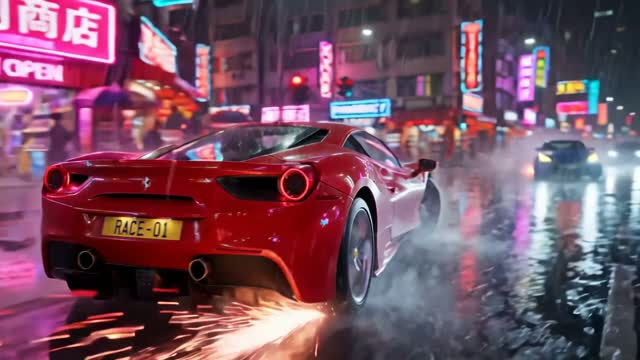
- Shot 1, 6 s, Kling 3.0: "Mira weaves her bike between stopped cars on a wet street at night, camera tracking from the side, neon reflections on the road." Try it
- Shot 2, 5 s, Kling 3.0: "Low angle as Mira hops her bike up onto the curb and skids to a stop, spray of water from the back wheel." Try it
- Shot 3, 12 s, Seedance 2.5: "Mira pulls off her helmet under a shop awning, catches her breath and says, 'Two minutes early.' Sound: heavy rain, distant traffic, her breathing." Try it
- Shot 4, 7 s, Seedance 2.0 at 1080p: "Wide shot of the city street in the rain as Mira rides away into the distance."
Draft each on Kling 3.0 Standard or Seedance 2.0 Fast, keep the best takes, render finals, then upscale the 720p shots so the whole cut is 1080p.
Cost and drafting
Both families give you drafting options. Kling 3.0 comes in Standard as well as Pro, so you can compare the price of each before you render, and Seedance 2.0 Fast and Mini, plus Auto, which uses fast Seedance, cost less than the full Seedance models. For reference, a 10-second 720p clip costs about 72 credits on Auto and about 208 credits on Seedance 2.5. ClickPop shows the exact price of every model before you generate.
A sensible rule is to never render an untested prompt on a top-tier model. Find the shot on a draft tier, then spend more only on the takes you will keep. For an action sequence with many short shots, that rule saves the most, because action often needs several tries before the motion reads right.
Failed renders are refunded, but takes that render fine and still miss the shot are not. Drafting cheaply is how you keep those misses affordable.
How to test the two
Pick your hardest shot, usually the one with the most movement, and render it on Kling 3.0 Standard and on Seedance 2.5 with the same prompt, length and character references.
Watch frame by frame at the moment of peak motion. Look at hands, feet and the face. Then watch at normal speed with sound on. Decide whether the motion or the sound matters more for that shot, and weigh the credit cost shown before each render.
Mistakes to avoid
- Expecting the model alone to keep a character consistent. Use reference photos.
- Using one long clip for an action sequence that would cut better as short shots.
- Paying for native sound on action that will be covered by a music track.
- Mixing 720p and 1080p shots in one cut without upscaling the 720p ones.
- Basing characters on real people. Use fictional adult characters only.
Questions
Is Kling better than Seedance for action?
Kling 3.0 is listed for strong motion and is a good first choice for action, but test it against Seedance on your own shot, especially if sound matters.
Which keeps characters more consistent?
Consistency comes mostly from reference photos. Build the character in ClickPop's Characters studio and the references go with every video on any model.
How long can each model render?
Kling 3.0 and Seedance 2.0 go up to 15 seconds. Seedance 2.5 goes up to 30 seconds.