
Timeline videos for history, brands and projects
How to make timeline videos for history, brand stories and project roadmaps: vertical layouts, date sizes, pacing per milestone and full examples.
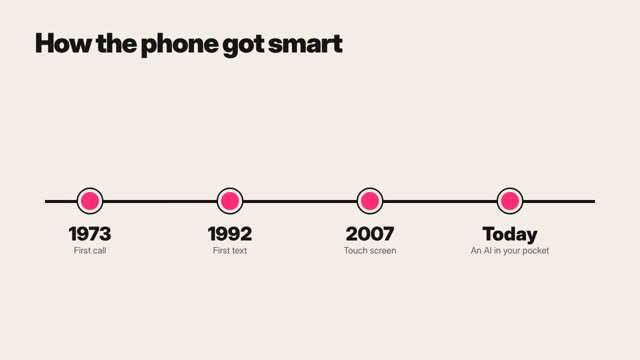
What a timeline video does
A timeline video moves through dated milestones in order, so the viewer sees how something changed and why the latest step matters. To make one, pick five to nine milestones, give each a date, a short label and one visual, and move along a single line at a steady rhythm with longer holds on the turning points.
Three kinds cover most uses. History timelines explain how an event or idea unfolded. Brand timelines tell a company’s story for an anniversary, an about page or a launch. Project timelines show a roadmap to clients, investors or a team. The design rules are the same. The tone and the ending differ.
Choose milestones, not everything
- Five to nine milestones for a 30 to 60 second video. More belongs in long-form or a series.
- Each milestone needs a reason to exist: something changed because of it.
- Mark one or two as turning points. These get longer holds and the accent color.
- Write each label in five words or fewer: “First shop opens,” “Moves online.”
- Check every date against a source. For brand timelines, check with whoever kept the records.
Layouts for vertical and wide video
Wide video makes horizontal timelines easy. Vertical video makes them hard. Pick a layout that matches the frame.
- Vertical scroll (9:16): the line runs top to bottom and the camera moves down it. This is the most natural layout for phones.
- Year counter (9:16): a large year stays fixed while milestone cards slide in beside it.
- Horizontal track (16:9): the line runs left to right and the camera pans along it.
- Spiral or curve: decorative and hard to read. Avoid unless the story is about cycles.
Space milestones by real time where you can. If a gap is very long, show a break in the line with the number of years written on it. Even spacing for uneven gaps makes the past look busier or emptier than it was.
Type, color and pacing
- Date or year: 120 to 180 px on a 1080 by 1920 frame, the biggest text on screen.
- Milestone label: 64 to 80 px, two lines at most.
- Detail line: 44 to 52 px, under ten words, optional.
- Words per milestone on screen: about 12, including the date.
- Line and markers: one color for the past, the accent for turning points, a lighter or dashed style for future plans.
- Contrast: 4.5:1 or better for labels. Off-white on deep color or near-black on light both work.
- Pacing: 3 to 5 seconds per milestone, 5 to 7 seconds for turning points, and 3 seconds on the final frame.
- Transitions: travel along the line between milestones in 0.6 to 1 second, eased so the camera settles before text appears.
Full example: a brand timeline
For a made-up bakery called Northcrust. All dates are sample dates invented for this example.
- 0–3 s · Title: “Northcrust, from one oven.” A single line starts drawing downward. VO: “It started with one oven.”
- 3–7 s · “2012 · First stall” beside a clip of loaves at a market stall. VO: “A Saturday stall at the town market.”
- 7–11 s · “2015 · First shop” with a clip of a small shopfront at dawn. VO: “Three years later, a shop with a real door.”
- 11–17 s · Turning point in accent color: “2018 · Sourdough school.” Clip of hands shaping dough. VO: “Then we started teaching. That changed everything.”
- 17–21 s · Line break with “4 years” written on it, then “2022 · Second shop.”
- 21–25 s · “2024 · Wholesale to cafés.” VO: “Now our bread is on tables across the city.”
- 25–31 s · Dashed line: “Next · Mill our own flour.” VO: “Next, we mill our own flour.”
- 31–34 s · Full line on screen, logo, “Thanks for every loaf.”
For a project roadmap version, swap the past for phases: “Discovery,” “Design,” “Build,” “Launch,” with planned dates in the dashed style and a “you are here” marker. Never show a planned date as if it were done.
Making it in ClickPop
In ClickPop, choose a motion graphics style such as Swiss in Create Video and paste your milestones with dates, labels and a visual note for each. The line, dates and labels are drawn in code, so years and names appear exactly as typed. Generate a short clip per milestone with prompts like “close-up of hands shaping sourdough on a floured wooden bench, warm window light, shallow depth of field,” or use your own archive photos. For history timelines, pick an era grade from Presets and keep it for the whole video.
Try this prompt in Create VideoMistakes to avoid
- Too many milestones crammed into a minute.
- Even spacing that hides long gaps or bursts of change.
- Dates without sources in history videos.
- Plans shown in the same style as completed milestones.
- Labels that change position from one milestone to the next.
Questions
How many events should a timeline video have?
Five to nine for a short video. Longer histories work better as long-form videos or a series.
How do I show a timeline in vertical video?
Run the line top to bottom and move the camera down it, or keep a large year fixed while milestone cards slide in.
How long should each milestone stay on screen?
Three to five seconds, with longer holds for turning points so viewers notice what changed.